
About this document
Last updated: 31 August 2026
This document describes what's new in the release 4 of the Fusion for BroadWorks Self Care Portal (SCP), or UC Control Hub, and which bugs are fixed for that release 4. The new features or functionalities are described per (minor) version in this document.
This document also serves as an add-on to the Administrator Guide and End-user Guide and will be merged in the Product Description of the solution.
What's new in release 4.1.0
This chapter describes all the new features and improvements on release 4.0.0. Please note that we recommend to refresh bookmarked URLs, as some have changed in release 4.1.0
Fusion Usage Analytics (Phase 1) [MR152]
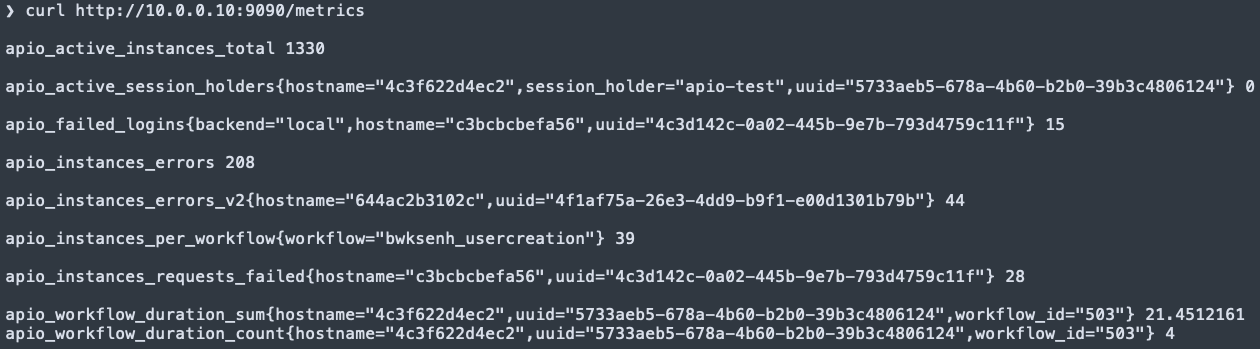
Fusion Usage Analytics is introduced hosted on port 9090. This is a two phased data analytics solution providing:
- Southbound Integrations and Internal Prometheus formatted metrics refer to APIO Docs for more information
- Performance monitoring of southbound integrations
- Performance monitoring of APIO workflows
- Alarm type tracking for southbound integrations
- Alarm type tracking for APIO workflows
- Northbound Integrations' usage metrics **
- Coming in Phase 2
APIO Static Line Port Ordering [CR085]
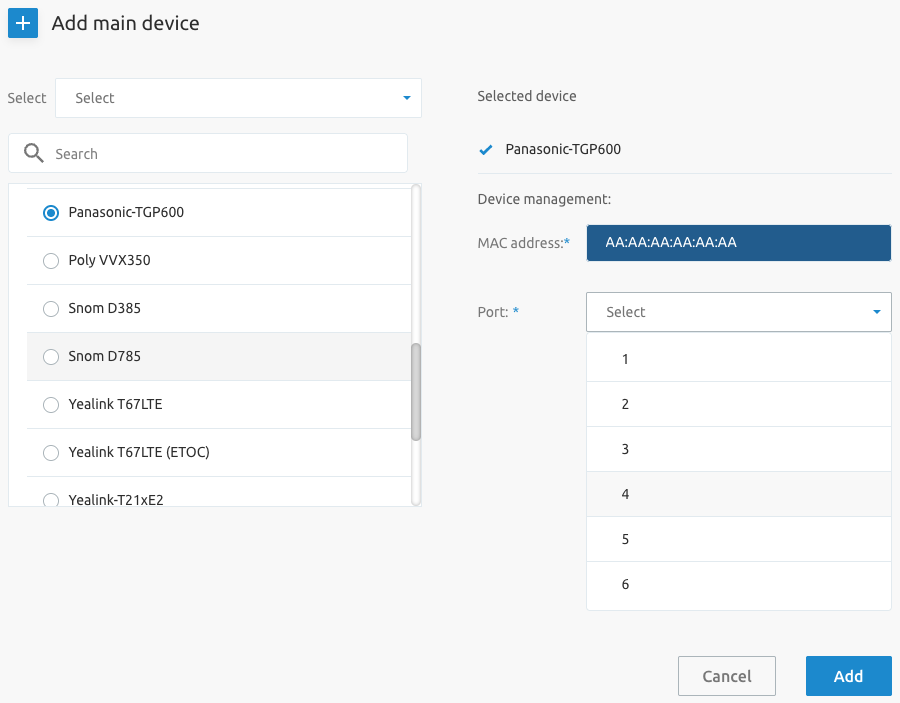
This feature adds support for static line ports usage when adding devices (main/additional devices and multi-lines) to users. Previously only dynamic line/ports were supported.
SCP BroadWorks Instant Group Call Support [CR028]
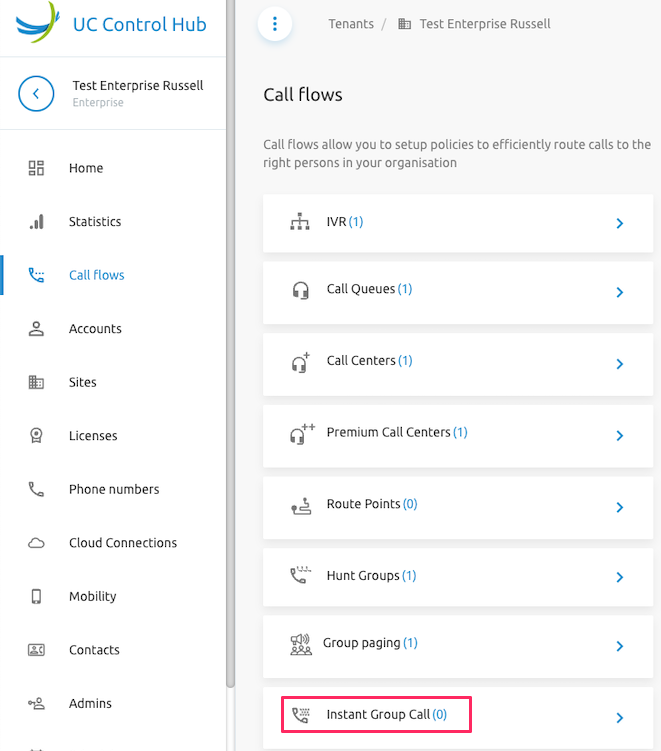
BroadWorks Instant Group Call configuration is now supported for System, Tenant and Group Administrators.
SCP BroadWorks Call Center Queue Status Notification Configuration [CR029]
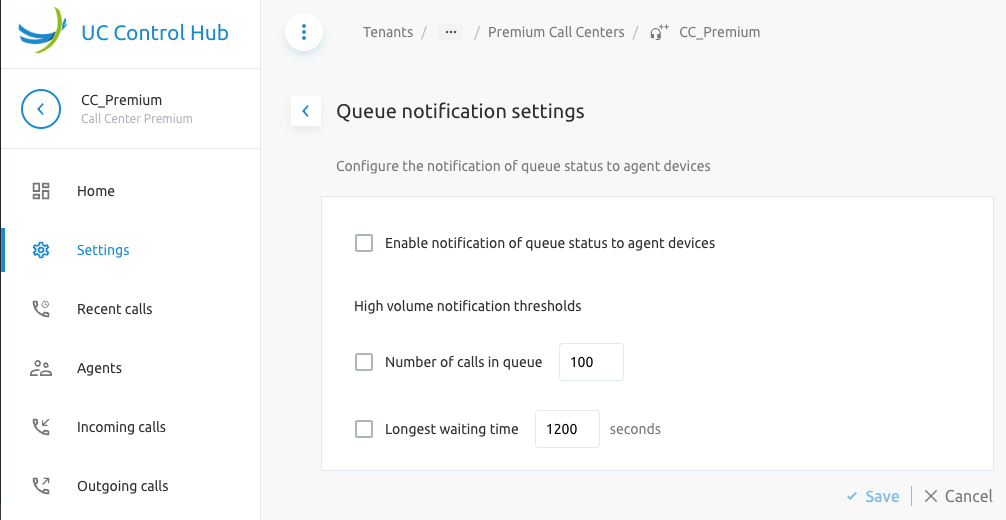
The configuration of BroadWorks Call Center Queue Status Notification for Premium Call Centers is now supported in this release.
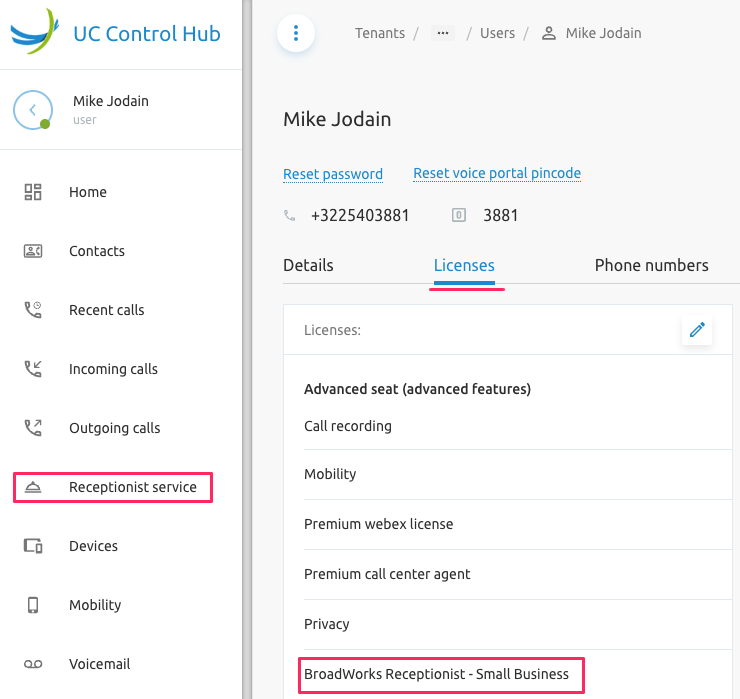
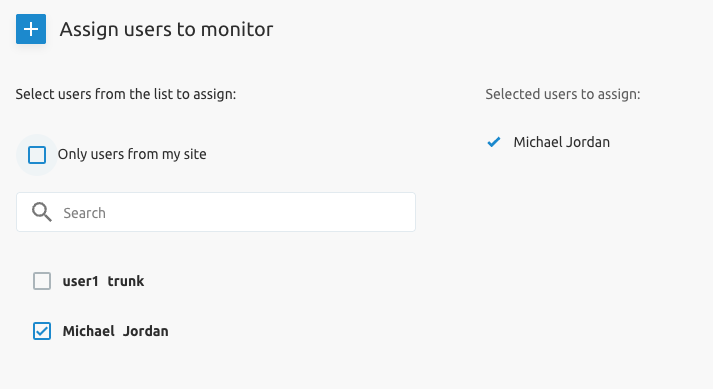
SCP Editable User List Monitored by Receptionist [CR034]
The list of users monitored by a BroadWorks Receptionist is now configurable with this release. The users monitored by a receptionist can now be edited by:
- System, Tenant and Group Administrators
- User with Receptionist Client license
SCP Group Paging Feature [CR035]
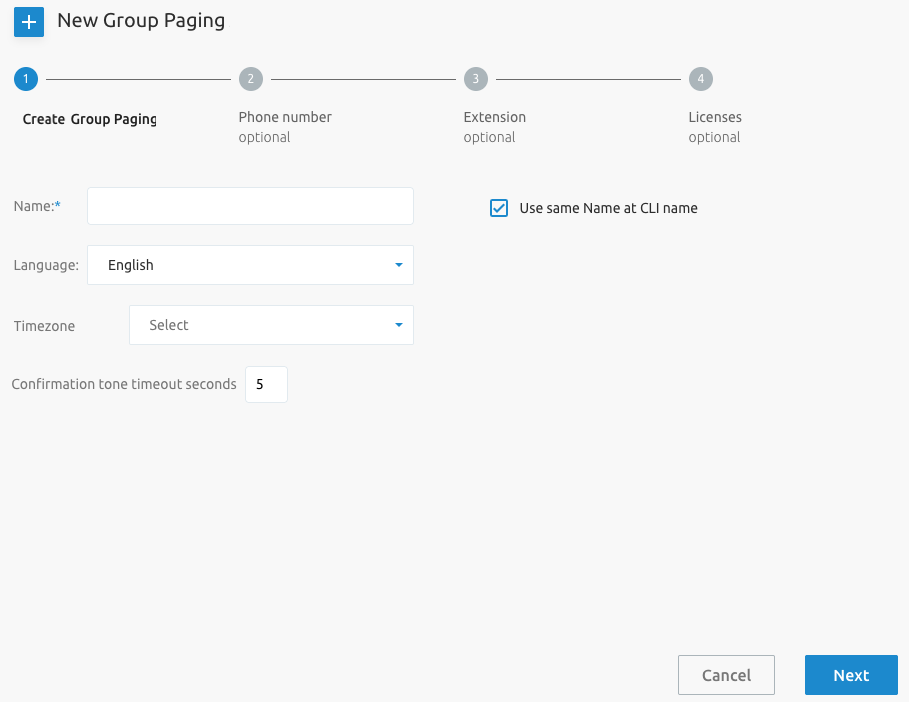
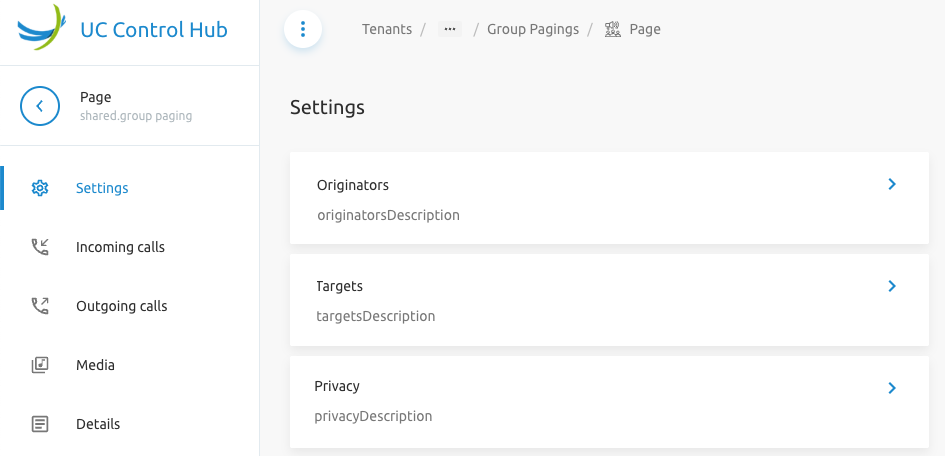
BroadWorks Group Paging configuration is now supported for configuration by System, Tenant and Group Administrators
SCP Inconsistent Date Format on Pages [CR042]
The languageCodeForDates setting is introduced to enforce consistent date formatting across the Self Care Portal. This configuration determines how dates are displayed to users, based on their language or locale preference. Example formats include:
YYYY-MM-DD(e.g., 2025-07-29) — ISO 8601 standard, used internationallyMM/DD/YYYY(e.g., 07/29/2025) — common in the United States
SCP Branding-Option for hiding Tenant, Group, User IDs [CR091]
This release introduces the ability to hide identifiers for BroadWorks entities (e.g. BroadWorks Tenant IDs, Group IDs and User IDs) on select Self Care Portal pages.
This functionality supports various go-to-market offerings for service providers operating in different markets, where identifier visibility may need to be restricted.
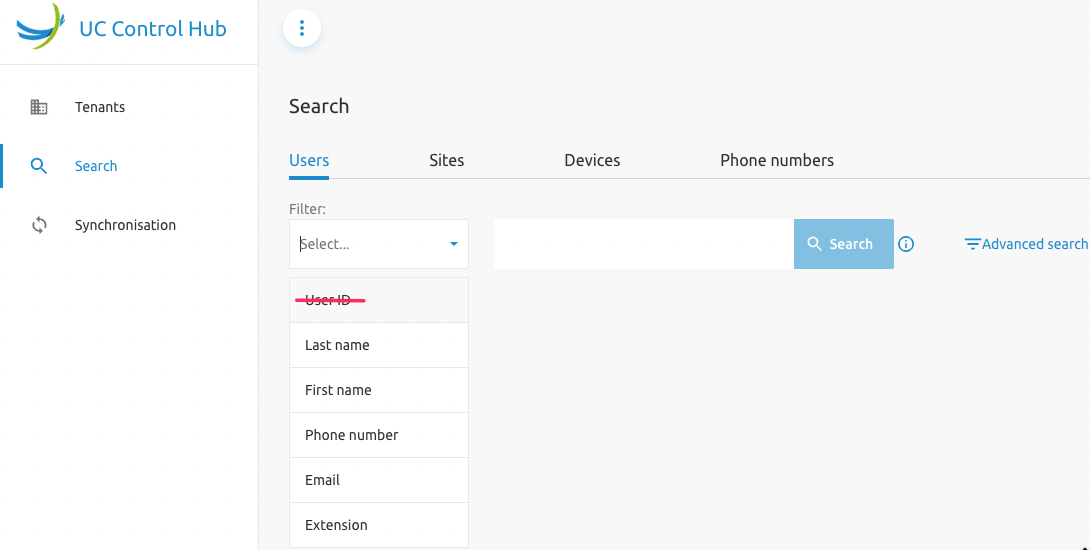
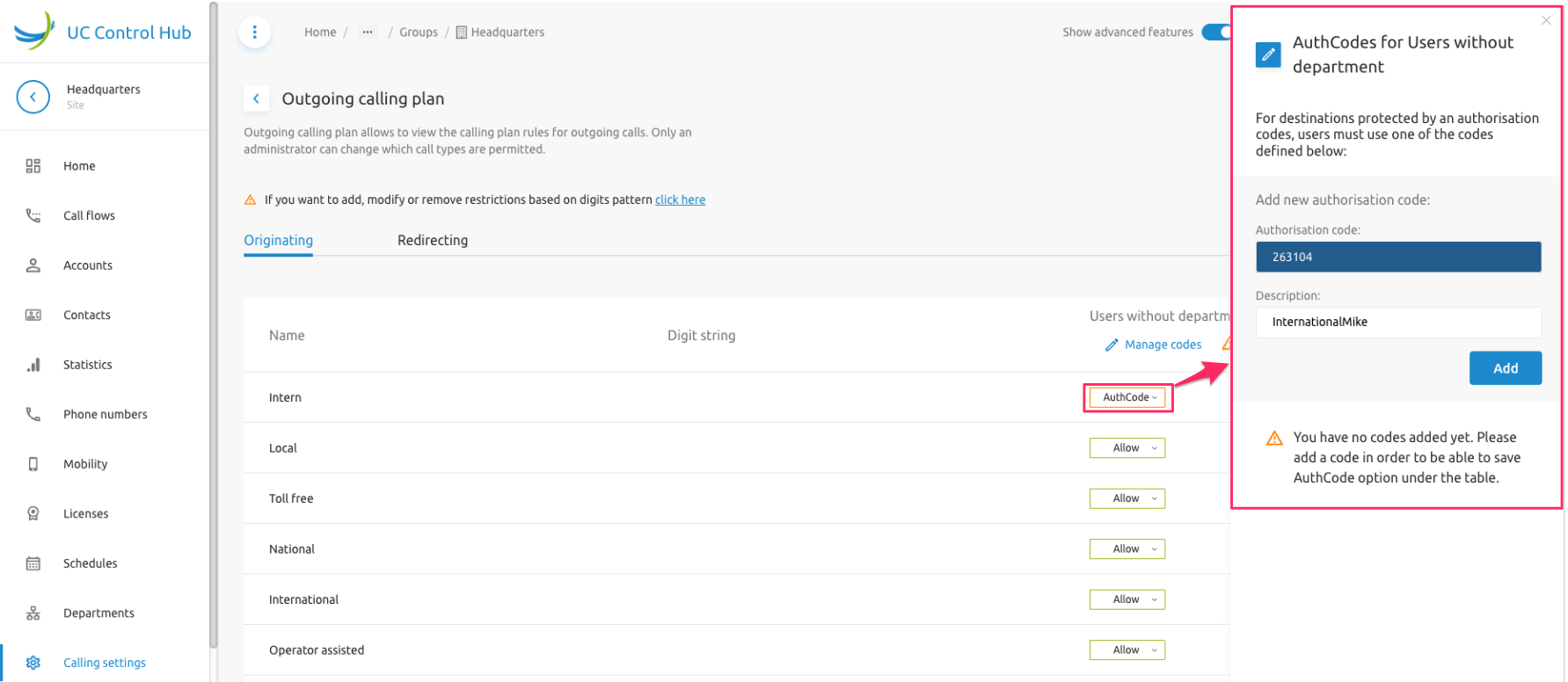
SCP Branding Options for Hiding Auth Codes in Outgoing Dial Plans [CR093]
Enhanced Outgoing Calling Plan (E-OCP) is now supported in the Self Care Portal. Outgoing Calling Plan (OCP) Authorisation codes can now be managed by Tenant and Group Admins when the service is assigned to the Group.
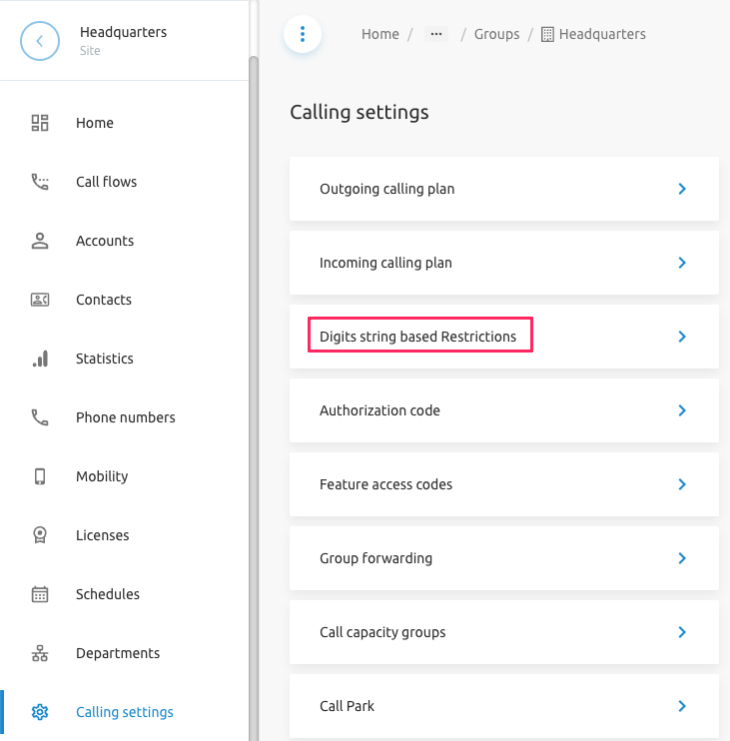
NoteIncoming Calling Plan and Outgoing Calling Plan settings are now both located in the Calling Settings menu.
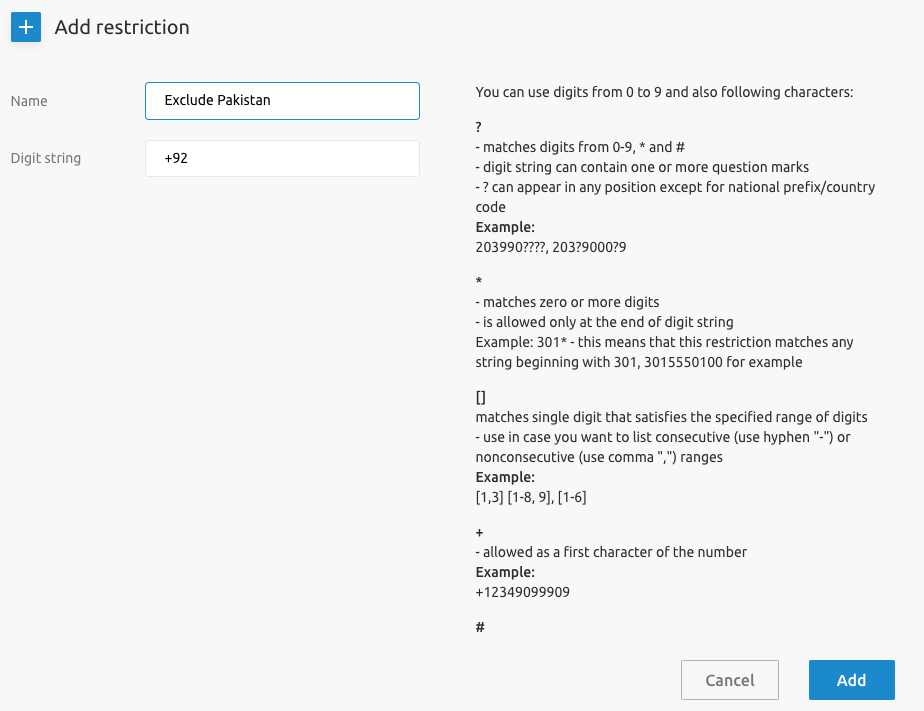
Outgoing Digit Plan Support [CR123]
This release adds the configuration of digit strings (add, modify, delete) for Outgoing Calling Plan, similar to the Incoming Calling Plan available on the Self Care Portal historically. This enables the Outgoing Digit String for assignment to end users.
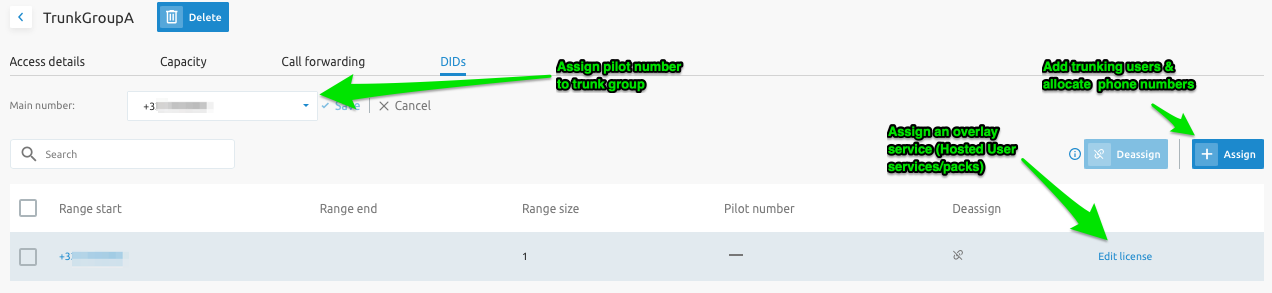
Enterprise Trunking Users Provisioning [CR124]
Enterprise Trunking (ET) configuration is enhanced in this release with intuitive configuration options:
- Creation of ET users via intuitive wizard
- Ability to add overlay services to ET users
- Flexible pilot number configurations and assignments

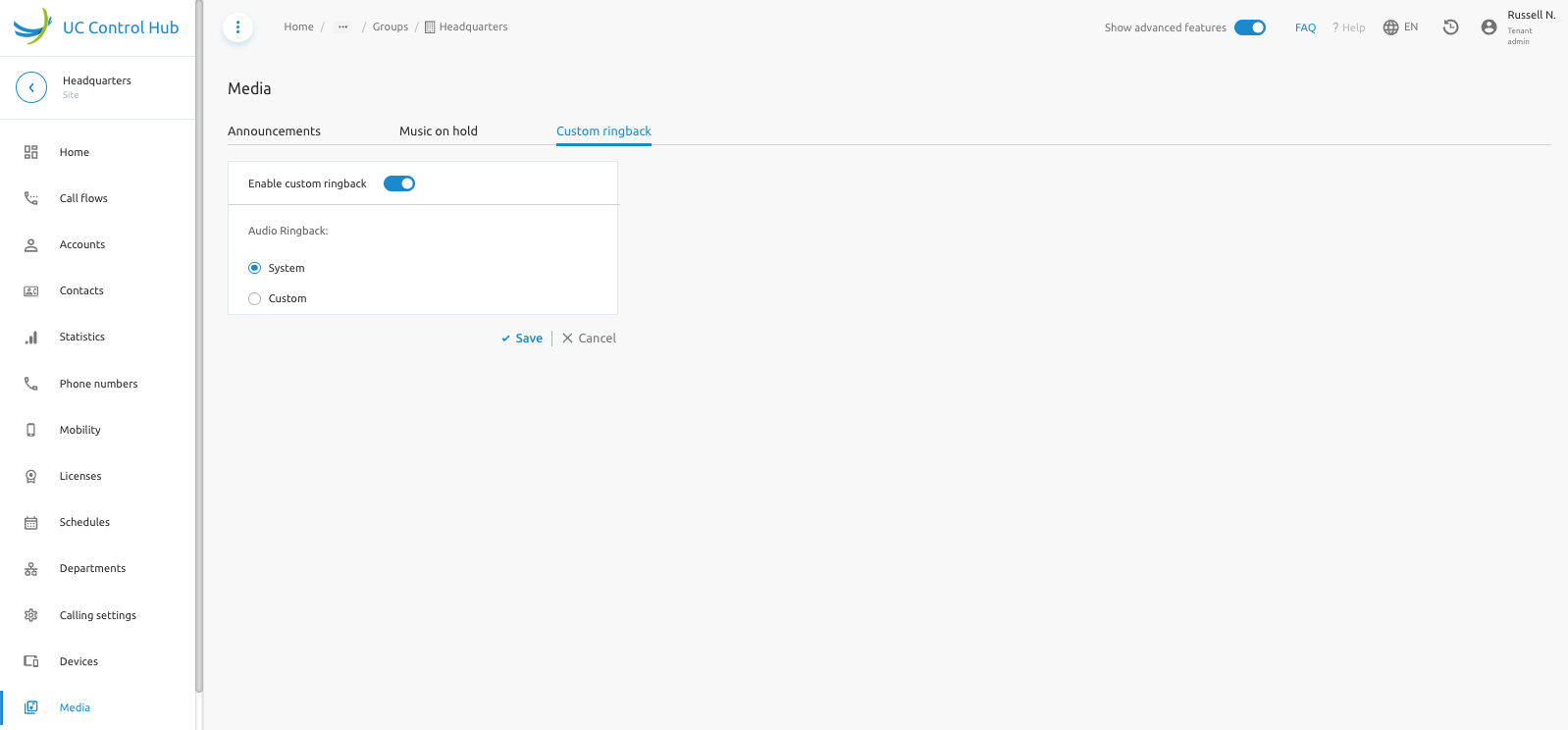
Group Custom Ringback Tone Support [CR149]
Custom Ringback Group support configuration is now supported for System, Enterprise and Group Administrators. Custom Ringback Group service needs to be assigned to a Service Pack or as individual service to the Group/Site
What's new in release 4.2.0
This chapter describes all the new features and improvements on release 4.1.0.
Account Security Enhancements [CR038-CR041, CR191]
These group of CRs enhance security posture of accounts in the Fusion for BroadWorks platform.
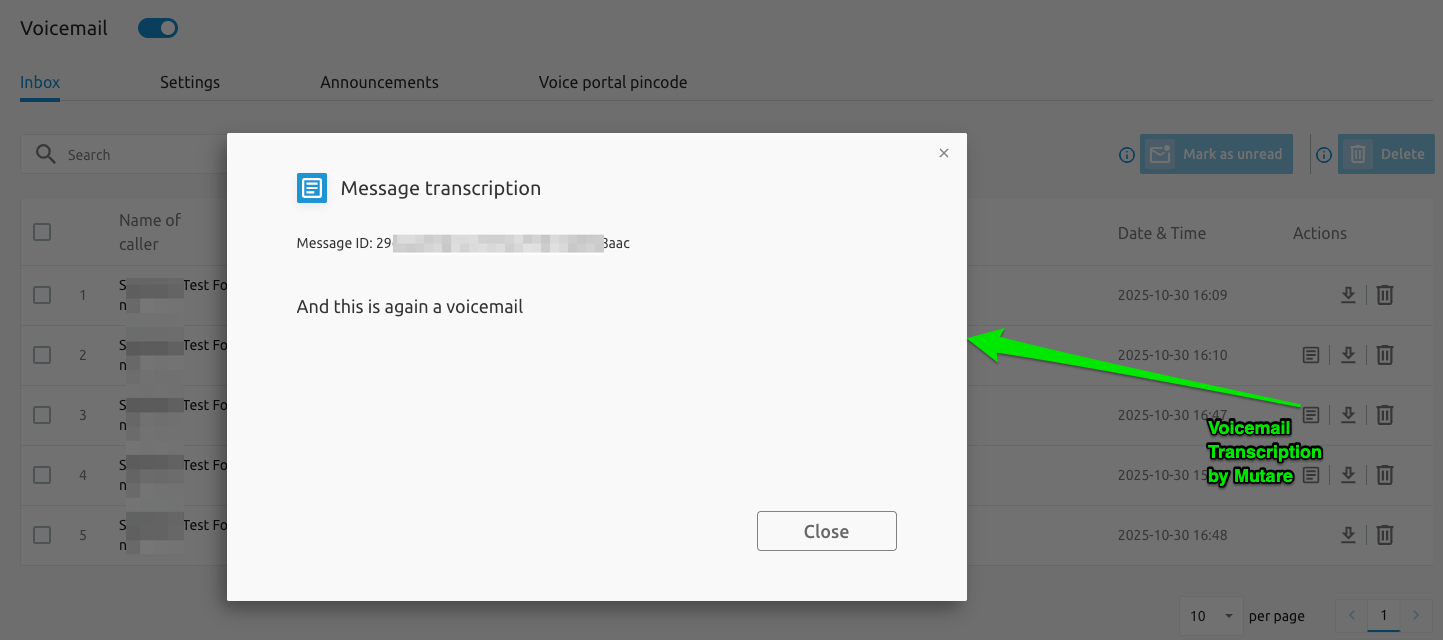
Mutare Voicemail Transcription Enhancements [CR054]
This feature enhances the Voicemail Settings and VoiceMails Messages tabs such that Voicemail transcription may be presented to the end users on the portal.
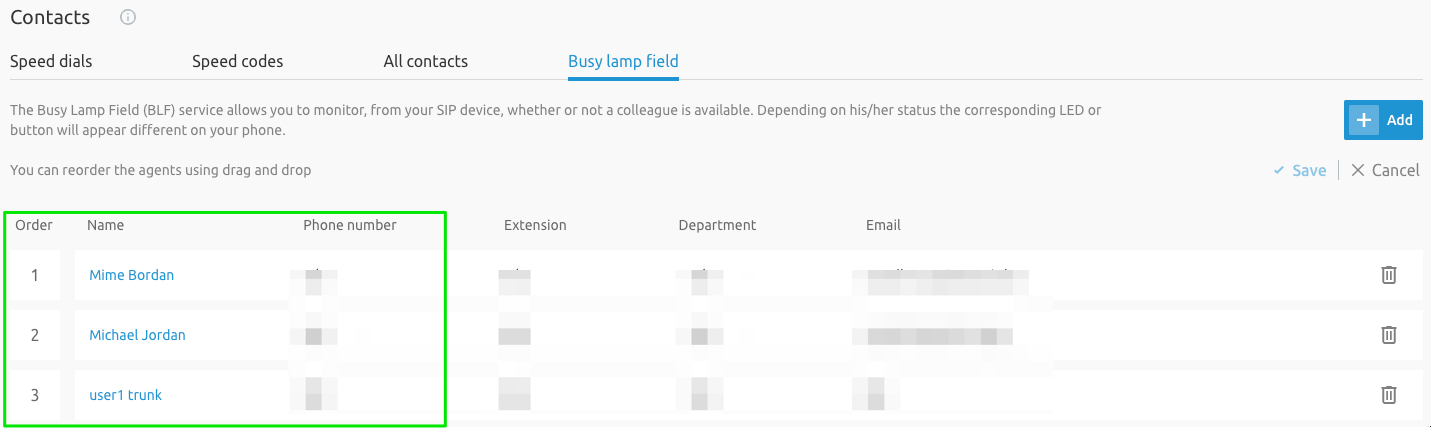
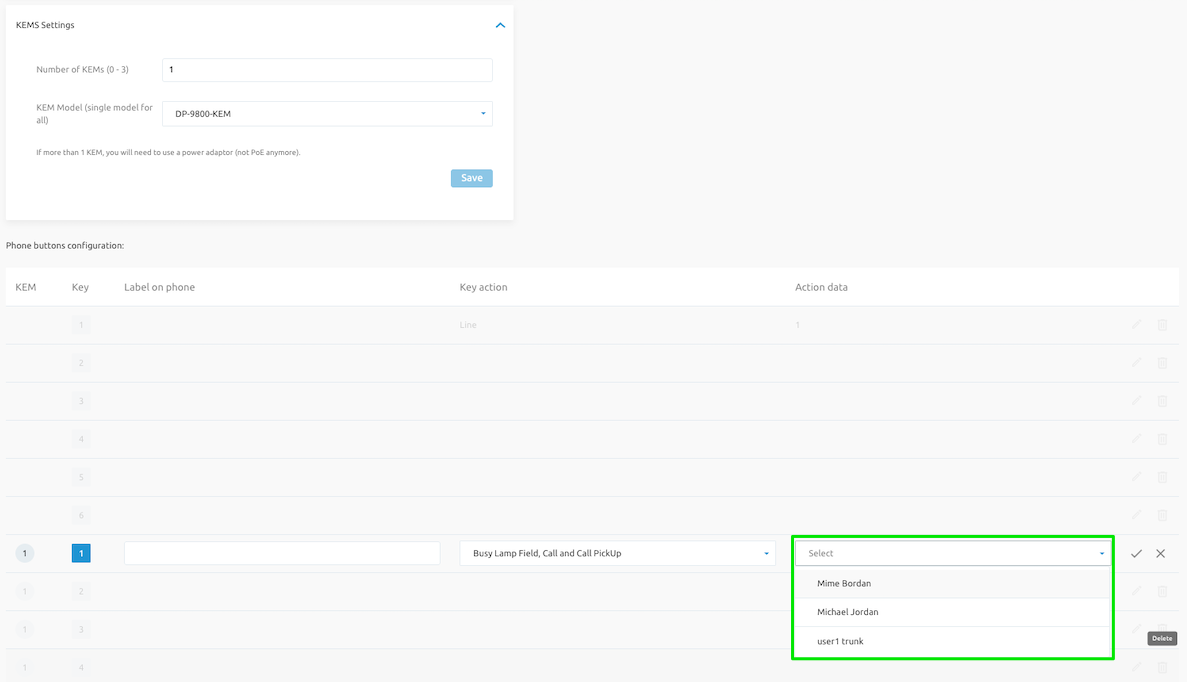
SCP BLF Add DropDownList in BLF Selection for Cisco MPP [CR076]
A drop-down list of users is now made available when configuring Busy Lamp Field (BLF) of the Cisco MPP and its KEM buttons. The end user should be assigned BLF license, configured with relevant BLF entries under its contacts menu, then finally the MPP/KEM can be configured with the relevant BLF entries.
Cisco MPP KEM Support [MR153]
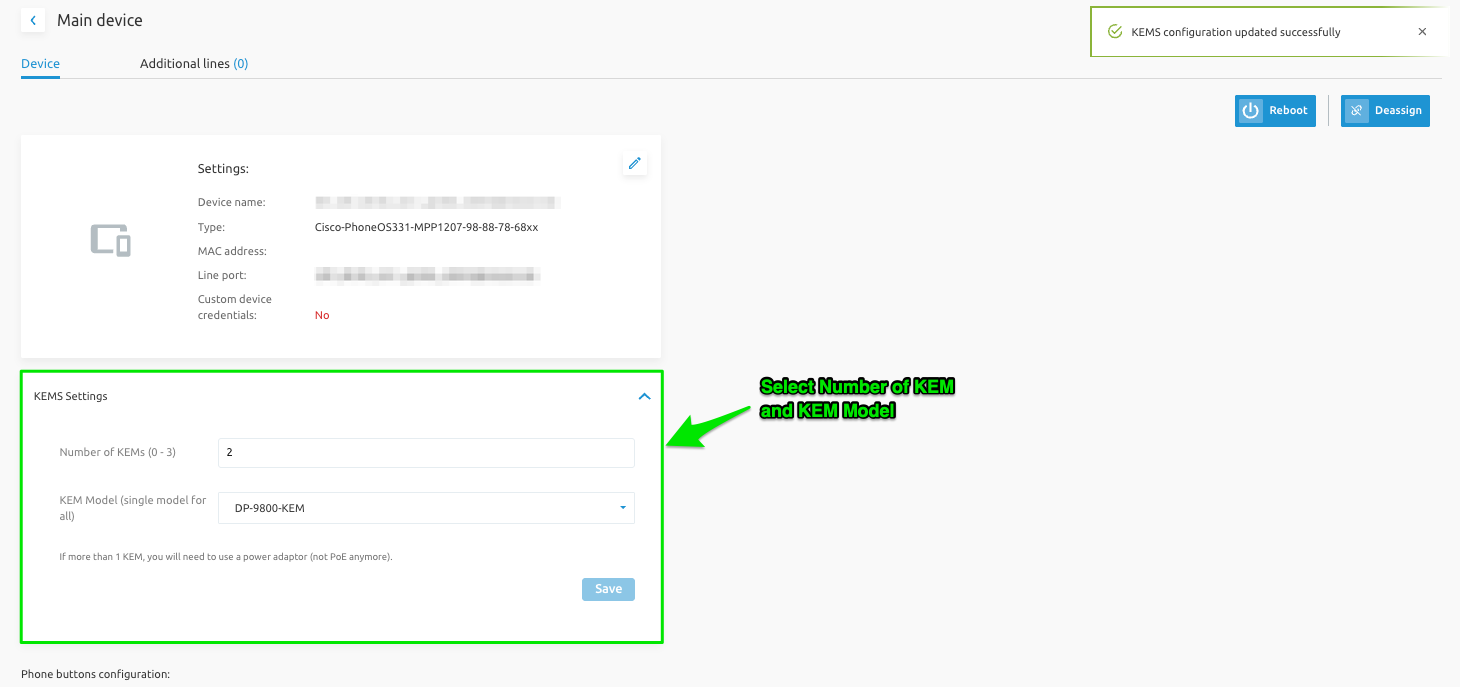
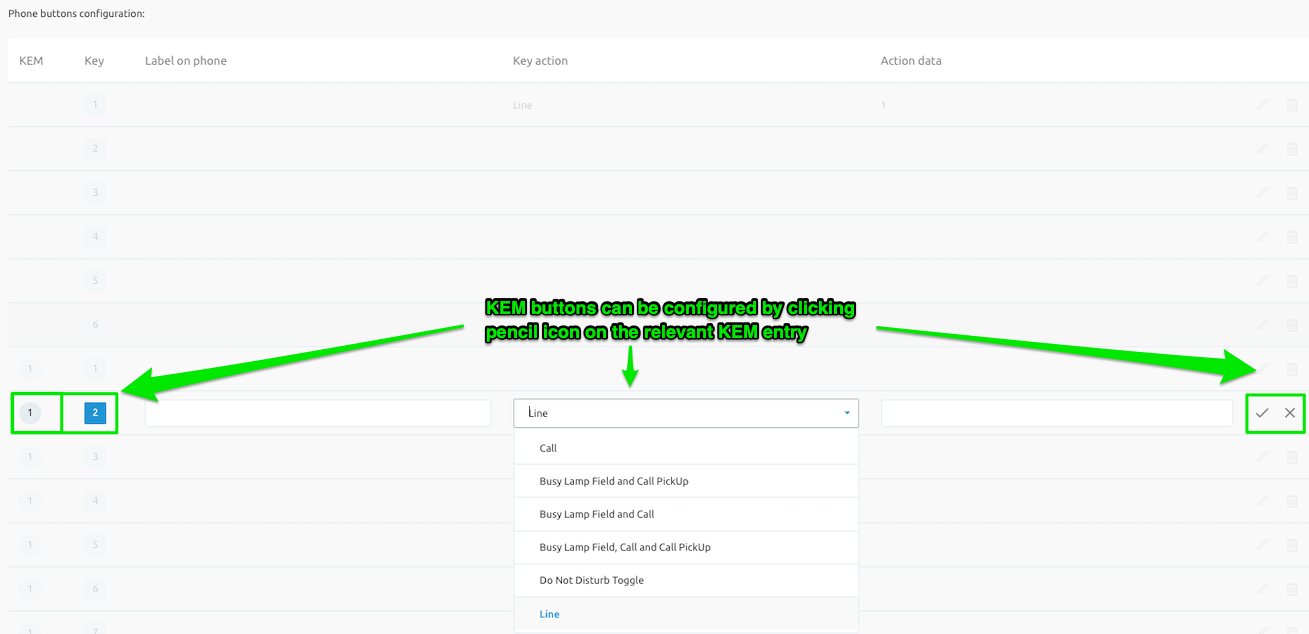
Cisco KEM configuration is now supported. Administrators can now Select number of KEM and KEM Model to be assigned to a device.
SCP IVR Dialing Configuration Options [CR037, CR112]
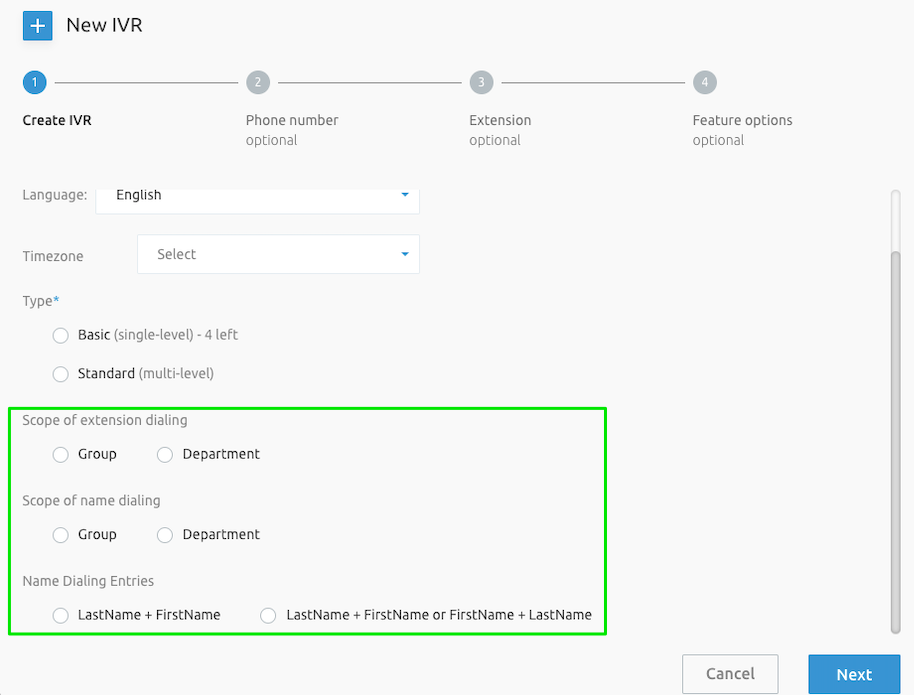
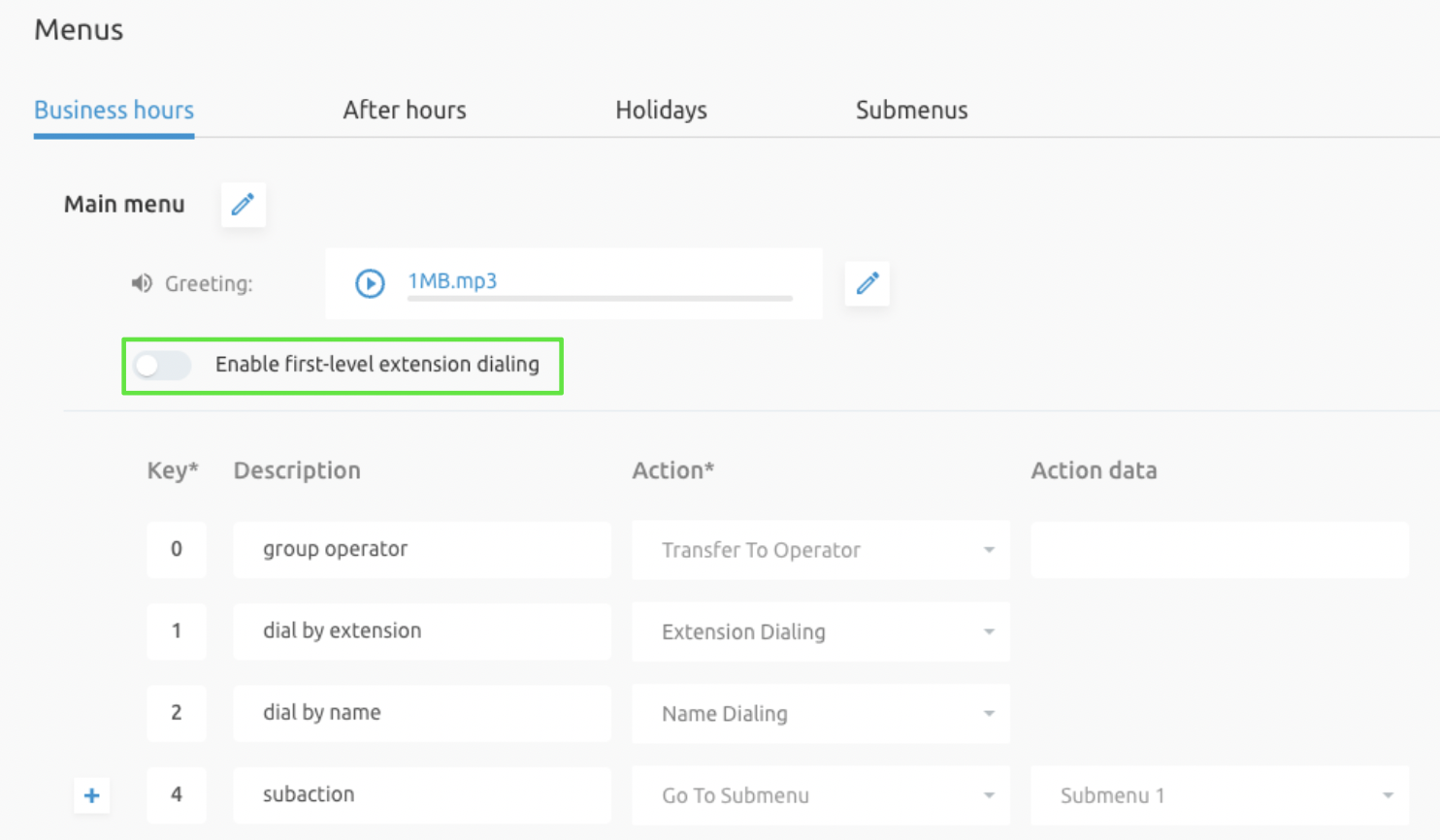
This feature adds configuration options linked to scope of dialing (name/extension) in Auto Attendant creation wizard and configuration page, as well as enabling extension dialing for Business, After Hours, Holiday menus & Submenus.
SCP Inter-Group BLF For BroadWorks Enterprise [CR052]
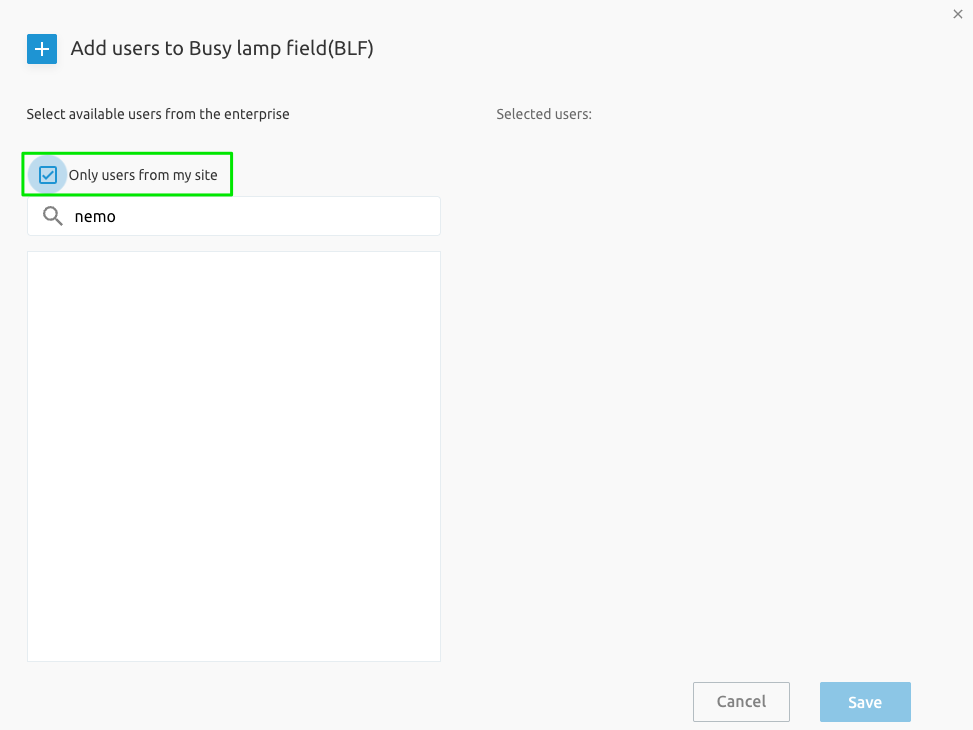
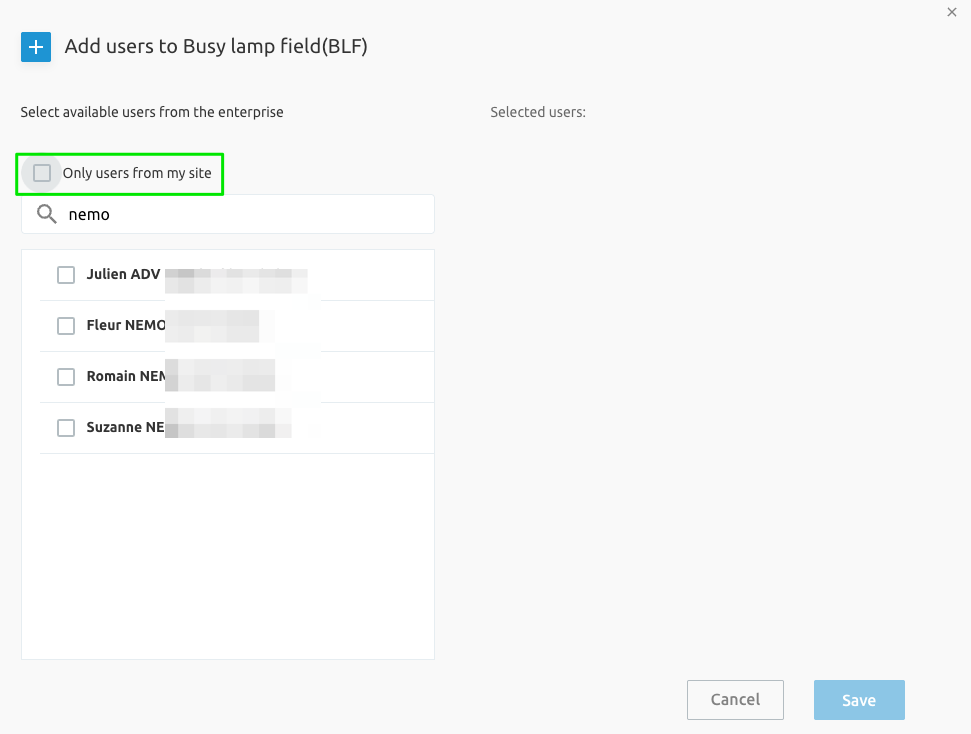
Inter-Group BLF For BroadWorks Enterprise is enabled with this feature where User A in Group A of Enterprise A should be able to be added to the BLF of a User B in Group B of Enterprise A. The parameter own_group_only enables this behaviour.
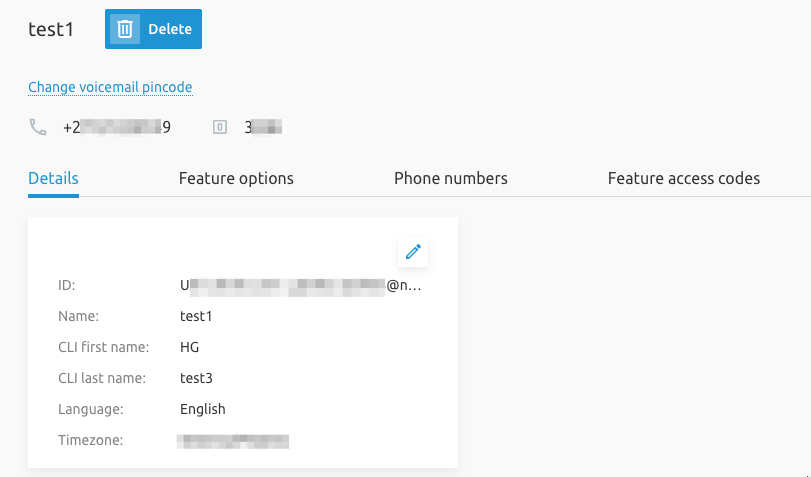
Call Flows VoiceMail Pin Configuration Enhancements [CR099]
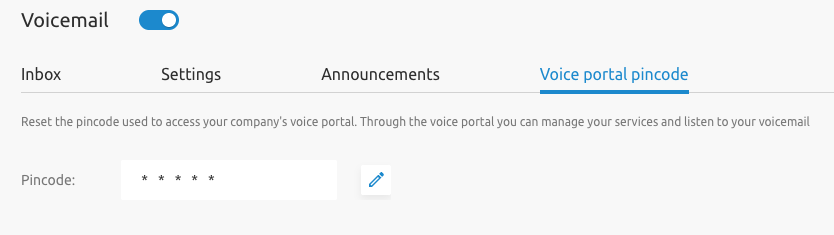
The Voice portal pincode is now configurable for IVR, Call Center and Hunt Groups in their Details and Voicemail pages.
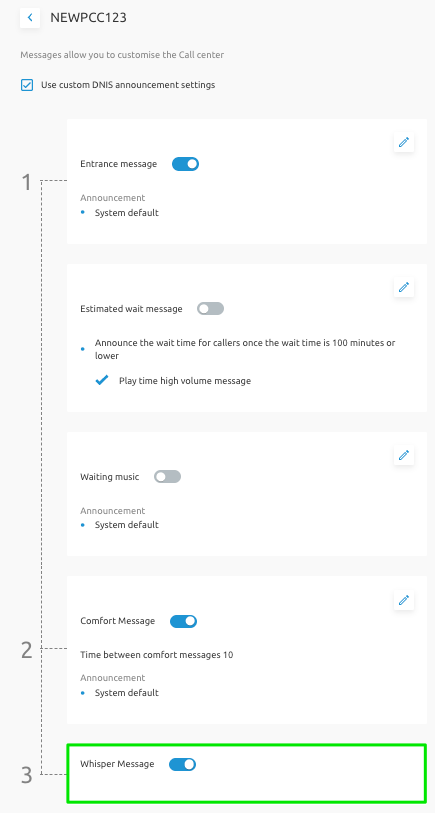
Play Call Whisper Message for Call Center DNIS and Announcements [CR102]
The CR adds the ability to configure Call Whisper Message for "DNIS Instance" and "Announcements" for Premium Call Centers as well as Route Points.
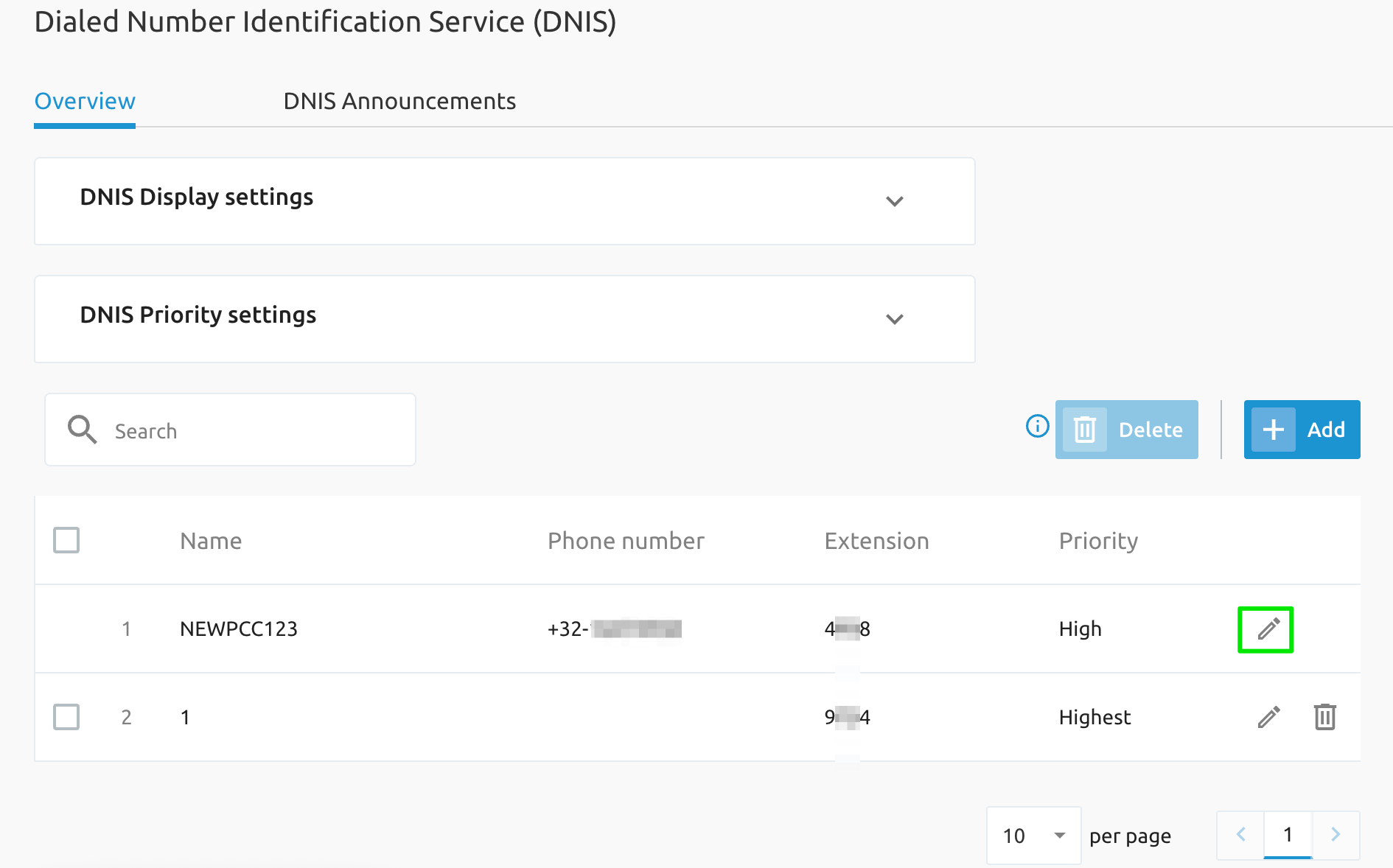
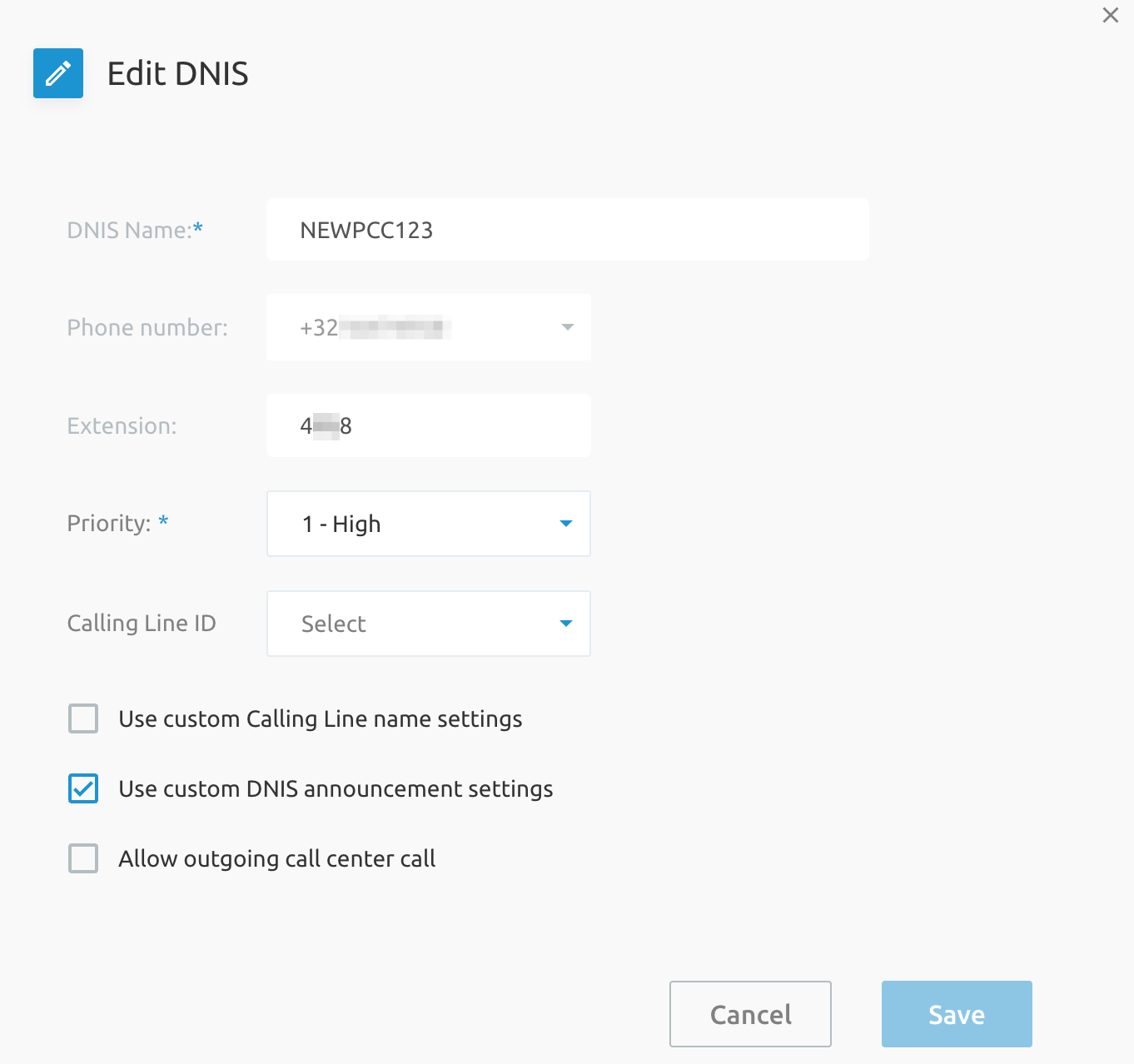
Configurable Primary DNIS Fields for Premium Call Center [CR114]
The Primary DNIS is now editable with the introduction of this feature, while the editing of the name, extension and phone number is disallowed.
Custom Background for Enterprise Dashboard [CR129]
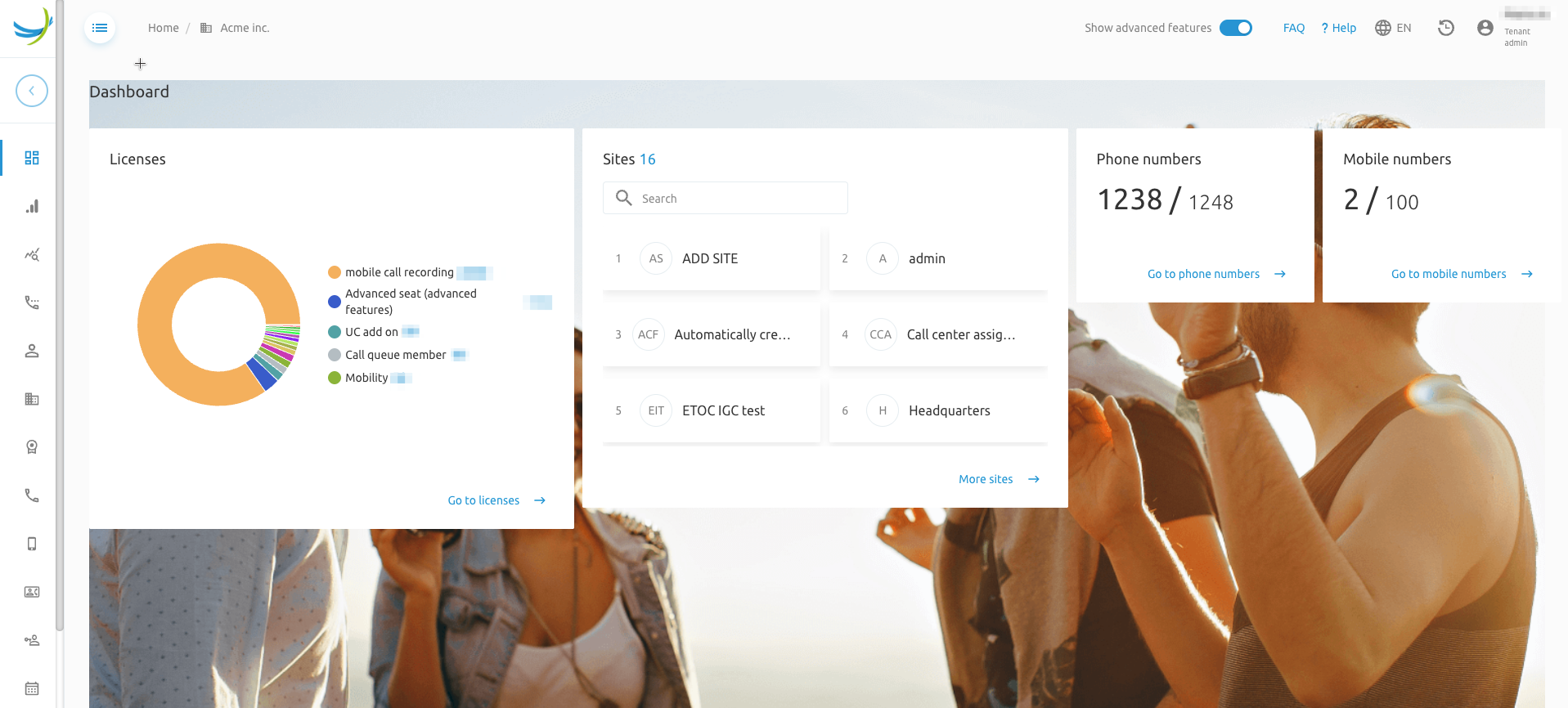
A configurable background image (through branding) is introduced for the Tenant (Enterprise) Dashboard page, which is accessible by System and Tenant Administrators.
Display of FACs Enhancements [CR154]
This CR adds the ability to display Groups' Feature Access Codes (FACs) of assigned services only, instead of displaying all available FACs in the system.
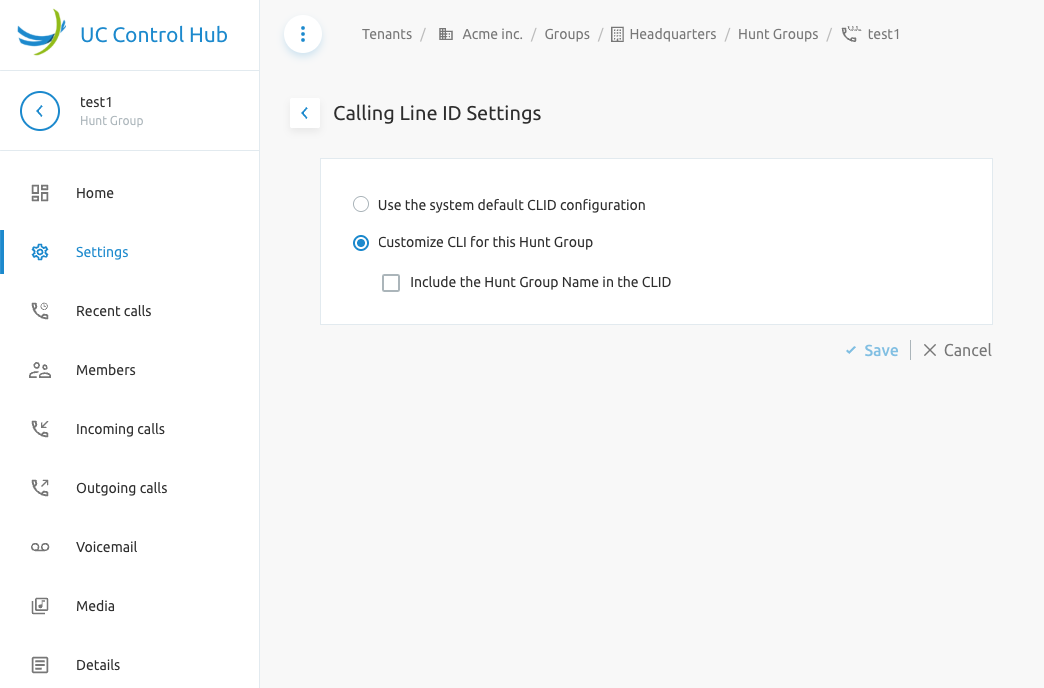
Configuring CLID for Hunt Group [CR072, CR147]
This feature allows the configuration of Calling Line ID Settings for a Hunt Group under the Hunt Group Settings page.
Fusion Usage Analytics (RC2) [MR152]
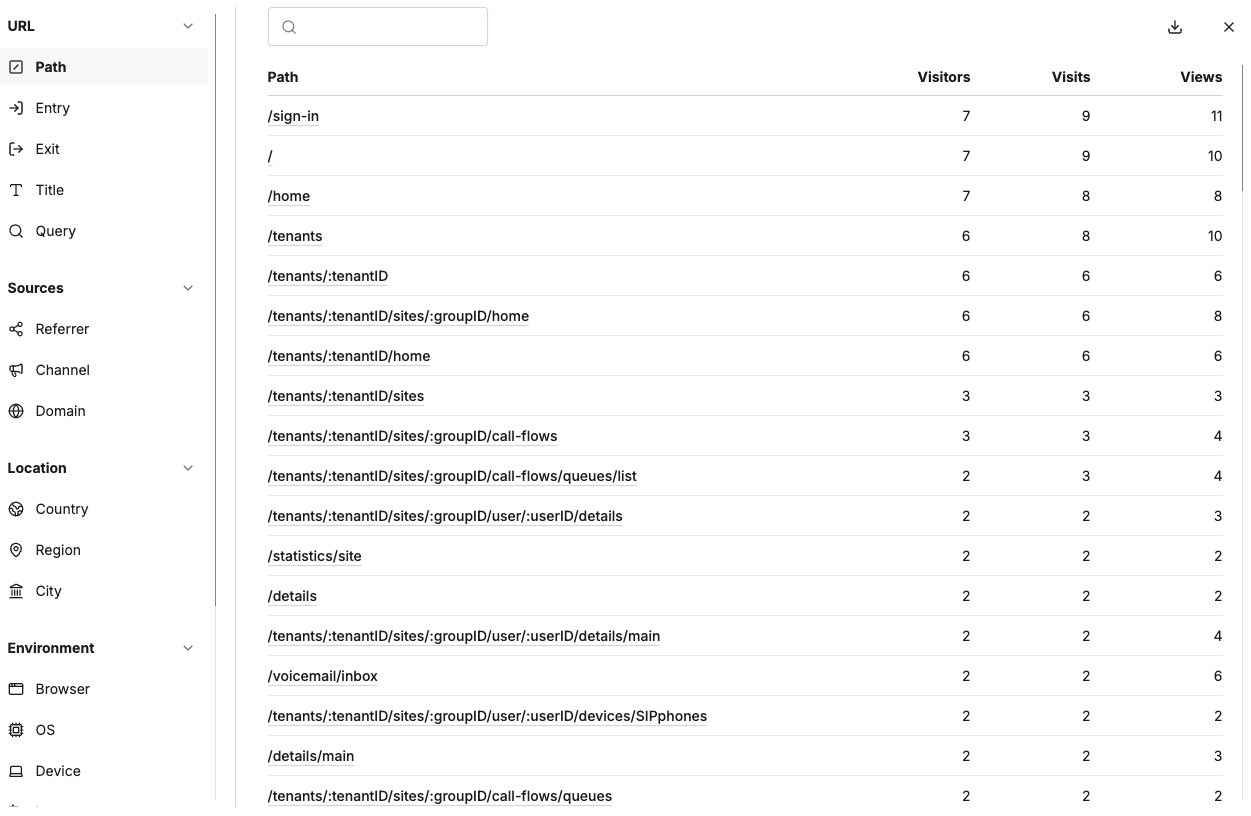
RC2 of Fusion Usage Analytics introduces visibility into northbound usage metrics via the integration of an Umami server deployed and managed (Docker compose with two images, one for process and another for DB) by the Service Provider in their Core network. It is integrated with Fusion for BrodWorks Self Care Portal (SCP) through a firewall, with a configuration of the SCP enabling the integration. Refer to Umami website for install process.
Call Flows List Search in Group Pages Enhancements [CR158]
The respective pages for each call flow (Hunt Group etc.) are enhanced to allow for searching using phone number, name and extension.
SCP Timeout Issues for NIMS Number Ranges [CR083]
NIMS 1.3.17 provides a fixes for displaying large number ranges via pagination support and a new configuration parameter.
NIMS Add New Numbers in Bulk [CR161]
NIMS 1.6.0 adds the possibility to add number ranges, customers, customer accounts, customer addresses, postal codes, suppliers in bulk within NIMS via API and CSV file upload as well.
System Admin Advance Account Expiry Notification [CR170]
A new configuration parameter passwordExpirationWarning, is introduced to allow a popup message to notify the admin "Your password will expire in X days"
Department CLID Configuration Options [CR175]
Department "CLI Phone number" field can configured as immutable via a new branding configuration parameter.
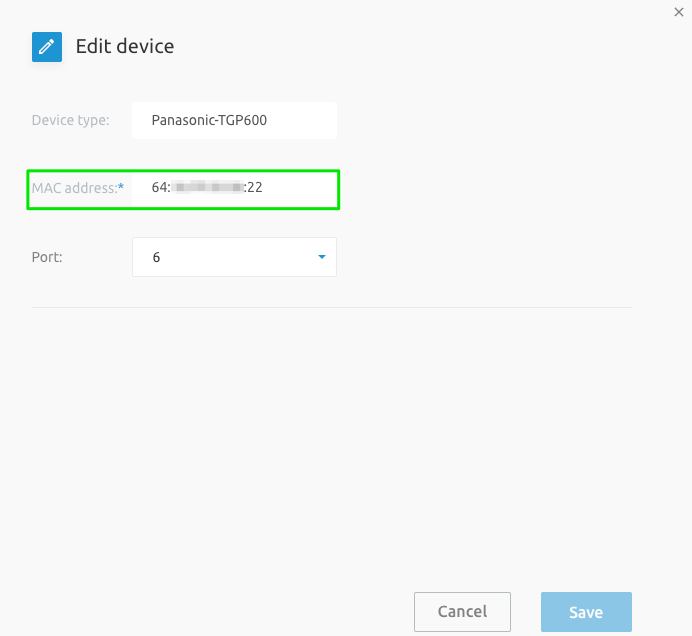
Devices MAC address should not be editable [CR187]
This Change Request (CR) ensures that the Media Access Control (MAC) address—a unique, hardware-level identifier for network interfaces—cannot be altered in the device edit pages at either the group-level or user-level. Making the MAC address immutable ensures consistent device identification across network management systems. The canEditMacAddress enables this capability.
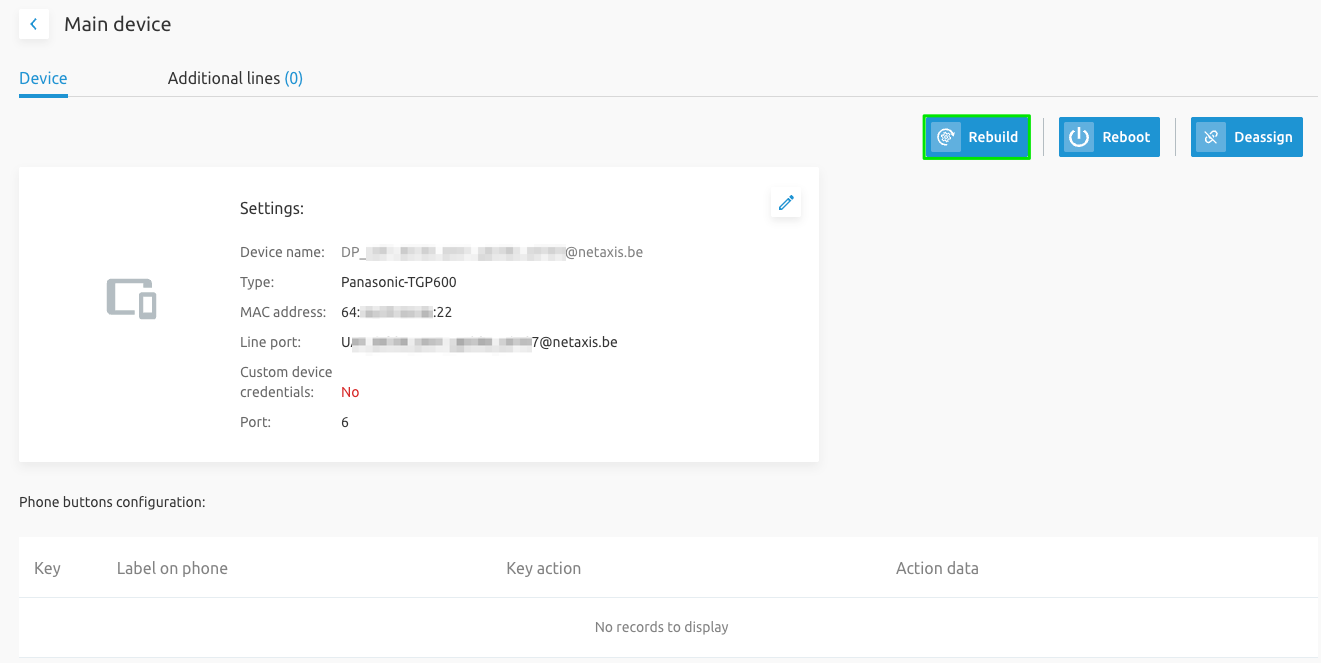
Rebuild Device Files Configuration Enhancements [CR188]
An optional Rebuild configuration files button (exposed via new branding element showRebuildButton) is added for Group, Tenant and System Administrators. The button is available in Group devices page, End User Main Devices page and Extra Devices page.
What's new in release 4.3.0
This chapter describes all the new features and improvements on release 4.2.0.
Hide Add/Delete options for Call Flows [CR126]
This feature allows to hide the adding and/or deletion of billable virtual services (call flows inclusive of IVR, Hunt Group, Call Center variants).
Hide Add/Delete option for Additional/Alternate Numbers [CR127]
This feature allows to hide the adding and/or deletion of "additional phone numbers" i.e. BroadWorks Alternate Numbers service, for billable virtual services (call flows inclusive of IVR, Hunt Group, Call Center variants).
Hide Extension Editing for Call Flows [CR128]
For billable virtual services (call flows inclusive of IVR, Hunt Group, Call Center variants) the canEditExtensionNumber and canEditPhonenumber is now available to disable the editing of their extension and phone number respectively.
User Details Read Only Fields [CR164]
The end users' details page is now enhanced with new branding elements to control whether the below fields can be edited or not:
canEditName: First Name, Last NamecanEditCliName: CLI First Name, Last NamecanEditEmail: Email
BWKS GW: Multi-AS Mode Integration Enhancements [CR189]
Fusion for BroadWorks' integration is enhanced for BroadWorks deployments that cannot provide direct access to Network Server for environments with multiple Application Servers.
Group Outgoing CLID Option Enhancements [CR166]
The configuration of "Group CLI" is now enhanced to present fixed phone numbers only and exclude the following options:
- No Group CLI
- Unallocated numbers
- Mobile Numbers
User Outgoing CLID Exclude Unallocated Phone Numbers [CR167]
The end user's Edit outgoing CLI page is now enhanced with configuration parameter outgoingCliAssignedOnly, to show/allow the assignment of numbers that are allocated to users or call flows only.
UCCH Customer Specific Branding Options for Hiding Select Action Buttons [CR200]
New branding options now allow to hide buttons for the following actions:
- Assigning & de-assign phone numbers at group level
- Edit group details
- Edit Group CLI
- Assign & de-assign users to device
- Assign user to a device in group devices page
- Assign a device to a user in user's device page
- Adding & deleting call flows: IVR, Call Queue, Call Center, Call Center Premium and Hunt Group
Hide department-related fields [CR207]
Department related menus and fields can now be globally disabled/hidden by a new parameter departmentMandatory.
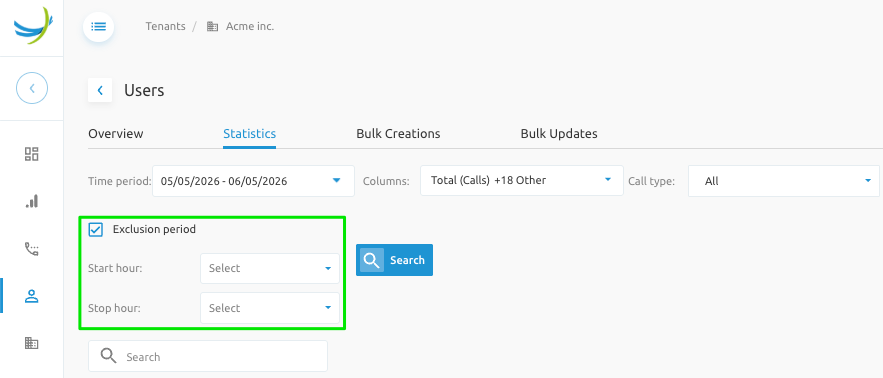
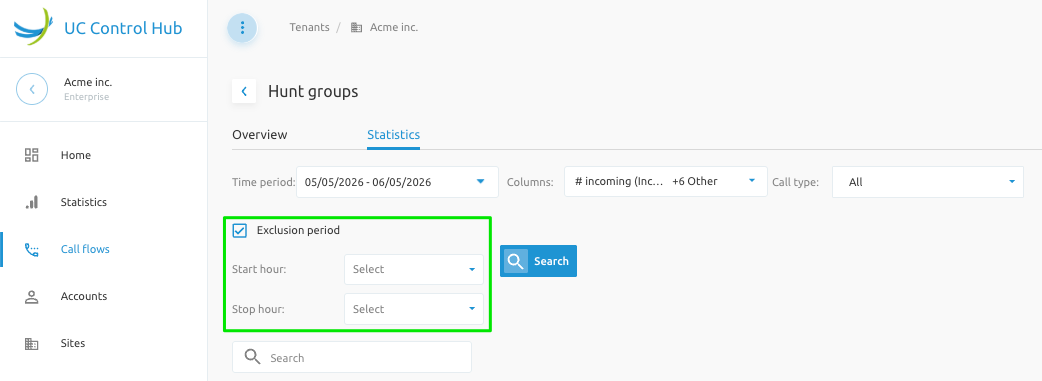
Configure time range exclusion in call statistics [CR194]
For the Call Statistics module, this feature adds the capability to filter an exclusion time period (example is a lunch break) for the displayed and downloadable statistics for end user and call flows.
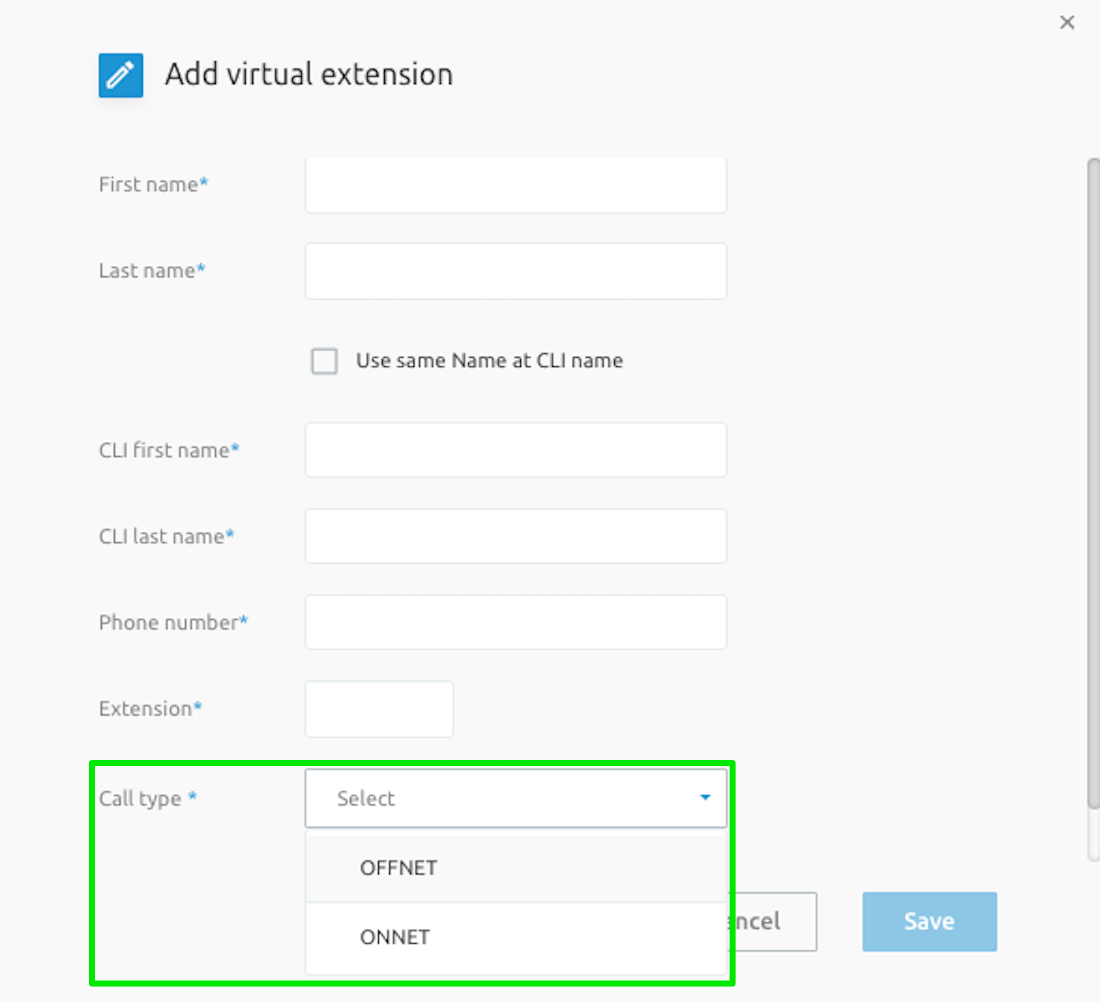
Virtual On-Net Call Type Setting [CR180]
A new setting Virtual On-Net Call Type is added on pages for creating and editing Virtual On-Net (VON) numbers.
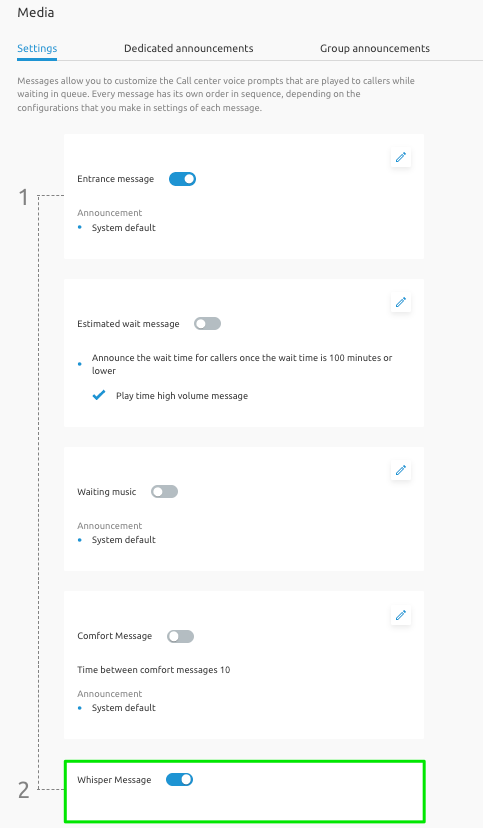
Play Call Whisper Message Media Configuration [CR179]
An edit pencil icon is now added for the Whisper Message to allow the configuration of its media options/files similar to comfort message and waiting music.
Hide Record Voice Messaging flag when Voice Messaging User license not assigned [CR160]
In call Recording tab of an end user, the Record Voice Messaging option is now hidden when the Voice Messaging User service is not assigned to the user.
Group Outgoing CLID Read Only [CR211]
New branding options now allow to disable editing of Group CLI.
What's new in release 4.4.0
This chapter describes all the new features and improvements on release 4.3.0.
Fusion for BroadWorks - Akixi CCR Integration [MR090]
Fusion for BroadWorks (F4B) is enhanced with a new Single Sign-On (SSO) integration with Akixi's Call Center Reporting (CCR) solution.
NoteThe license
FUS-LIC-BKWS-AKIXIis required to activate this new feature.
Dubber Integration Enhancements 2025 [MR106]
Dubber is enhanced with:
- Optional dubpoint deletion when user is deleted
- Multiple user deletion
- Support for more Dubber packages
- Token refresh/failover mechanism
- Provisioning of Group Admins to become Call Recording Admins
SCP Direct Routing and Operator Connect Merge (Beta) [MR162]
[Beta] Unified Stream Release: Merged Direct Routing and Operator Connect into a single 4.x release architecture, now available in Beta for early access.
User Outgoing CLID selection of Tenant-wide Phone Numbers [CR165]
For End User Outgoing CLI configuration (by System/Tenant/Group Admin), a branding option is added outgoingCliAllowTenantLevelNumbers to expose a checkbox "Only Numbers from My Site". This enables the assignment of any tenant-wide number as the Outgoing CLI.
Mail server userid doesn't contain domain [CR215]
Flexibility is added in provisioning the email field of a user's Voice Management Advanced Settings configuration with system domain or userid or none.
UCCH Customer Specific Branding Options for Hiding Select UI Elements [CR225]
New branding options now allow to hide buttons or enable/disable actions:
- Hiding Enterprise Level Phone Numbers Assign to Group
- Hiding the Add/DeAssign buttons for End User Additional Lines/Devices in a Group
- Hiding the Additional Devices Add button in a User's SIP Phones' tab
- Disabling the editing of Department CLI Name
- Disabling the editing of an End User Extension, Phone Number and Outgoing CLI
- Disabling the toggling of Group Level Details' Voice Portal On/Off setting
- Hiding the Group Level Departments Add/Delete
- Hiding the DNIS Add/Delete buttons
- Disabling the editing of Secondary DNIS Name, Phone Number, Extension and Calling Line ID
- Disabling the toggling of End User Device Ringing Options
- Disabling the toggling of End User Additional Device Settings
- Added End User ability to edit their profile details (inclusive of First Name, Last Name)
Additionally CR225 added the below optionally:
- Transfer to mailbox option for IVR Menus
Enhancements in portal security posture [CR228, CR229, CR230, CR234]
Strengthened account access and 2FA for system security, refined error messaging and concurrent sessions.
[ProvUI] Trunk Group User Lookup Policy [CR236]
In the backend Provisioning UI, the Trunk Group configuration page is enhanced with a section to configure Trunk Group User Lookup Policy that controls the specific steps the Cisco BroadWorks Application Server takes to identify the originating trunking user (the user behind the PBX) after it has already identified the originating Trunk Group.
[APIO] Add "rm" Command in SFTP Cell [CR237]
An "rm" command is added for the sFTP cell to allow deletion of MTA configuration files.
Database Enhancements [Multiple CRs]
Strengthened database security, compliance auditing controls. Refer to Product documentation.
BUG fixes
This chapter gives a list of the "bugs/issues" that were discovered from the previous release and/or that were reported by customers, and which are solved by the respective release mentioned below. The list contains the title of the issue and a short explanation/description of what the issue was about.
Release 4.1.1 -- Bugfix release for the release 4.1.0.
The following issues have been resolved in the release 4.1.1.
| Issue | Short description |
|---|---|
| Type | Password Reset not working consistently. |
| User | User Multi selection impossible on Site level |
| Schedule | Schedule Site level - not possible to edit calendar as group admin |
| Schedule | Holiday schedules page does not refresh after creating or deleting a calendar |
| Call Notify | Not possible to remove an email address for call notify service |
| Simultaneous Ring | Simultaneaous ringing - impossible to activate the service when you are logged in as admin |
| User | Fix: add user in tenant level |
| IVR | Delete of IVR - portal app not sending DELETE request |
| MoH | The music on hold for internal calls is erasing the other configuration "media object" |
| Translation | Labels missing |
| Call Forwarding | Call forwarding for Call queue and Call centers - not working and crushing the page |
| Call Statistics | Group stats failing for individual stats when time period is selected - request made for tenant and not group |
| Branding | Welcome message not displayed |
Release 4.1.2 -- Bugfix release for the release 4.1.1.
The following issues have been resolved in the release 4.1.2.
| Issue | Short description |
|---|---|
| Call Queue / Call Center | Not able to change Bounced Calls settings as Tenant Admin fixed |
| Digit String | Editing digit strings leading to an error page fixed |
| Call Queue | Portal error on call queue voicemail fixed |
| Login Screen | Webex and support buttons always displaying in French fixed |
| User Phone Details | Phone button configuration not displayed fixed |
| Holiday Event | Holiday event issues fixed |
| Call Flows | Incoming call services rules issues fixed |
| Mobility Page | Accessing a user or their phone number from the Mobility page yielding 404 fixed |
| Basic IVR | Portal freezes when using # as the only key option fixed |
| Group Devices Custom Tags | Save button sending both PUT and DELETE requests fixed |
| Selective Call Forwarding | Selective Call Forwarding issues fixed |
| SSO | /sso endpoint not mounted when a session already exists fixed |
| Call Center | "Go to call forward" yielding 404 before correctly landing fixed |
Release 4.1.3 -- Bugfix release for the release 4.1.2.
The following issues have been resolved in the release 4.1.3.
| Issue | Short description |
|---|---|
| IVR | Privacy settings inaccessible as Tenant and Group Admin |
| Account | Optional session inactivity timer issues |
| Departments | Self Care Portal errors when only 1 department is present |
| Login | Lost BW session not working anymore |
| Call Center | Unable to remove an announcement when in System mode |
| Schedules | When a holiday schedule entry containing certain combination of recurrence options, it is not listed in the events list |
| Instant Group Call | Cannot link a department to the Instant Group Call in the portal |
| Account | Defective search field when adding additional line in user device |
| Schedules | Issues with timezones |
| Help Files | New EN online help files added and localized via translation tool |
Release 4.1.4 -- Bugfix release for the release 4.1.3.
The following issues have been resolved in the release 4.1.4.
| Issue | Short description |
|---|---|
| Devices | Link in devices search is not working |
| Password Reset | Improved password reset |
| OCP | Old Outgoing Calling Plan (OCP) labels not deleted |
| Translation | Instance of default English translation given in French |
| Simultaneous Ring | List limited to 5 while 10 entries are available in CommPilot |
| Group Users | Sorting resets back to default when making a selection on the Group Users page |
| Login | Login button does not work after forced change password |
| Enterprise Trunking | DID IDs not generating the link URL |
Release 4.1.5 -- Bugfix release for the release 4.1.4.
The following issues have been resolved in the release 4.1.5.
| Issue | Short description |
|---|---|
| Call Statistics | Issue in column selection for call statistics report |
| Voicemail | Error on reload from end user inbox tab |
| Devices | New images for Yealink T74U, T88V, T87W, T73U devices |
| Authentication | Password rules display fix |
| Call Center | Schedule option Routing Policy change cannot be disabled |
| End User | Group Night Call Forwarding option missing |
Release 4.1.6 -- Bugfix release for the release 4.1.5.
The following issues have been resolved in the release 4.1.6.
| Issue | Short description |
|---|---|
| IVR | Greeting text going out of the field |
| Schedule | End User schedules resolution issue for event modal |
| Call Notify | End User can not change email |
| Translation | Issue with Custom Translations on non-logged pages |
| Schedule | Issue in Schedule period update |
| Licenses | Group add/remove user licenses says call flow licenses and cannot be changed |
| Call Statistics | Labels are truncated (unreadable) for some pie chart stats |
| Portal | Issues with display of perPage selector |
| Devices | Adding an additional phone breaks the page display for user device |
Release 4.1.7 -- Bugfix release for the release 4.1.6.
The following issues have been resolved in the release 4.1.7.
| Issue | Short description |
|---|---|
| Devices | End User Add Device select field has incorrect list of entries |
| Privacy | Update list of users for Privacy Advanced Settings |
| Tenants | Add User License selection issues |
| Search Bar | Search bar force formats to lower case |
| Enterprise Trunks | Issue when trunkingDIDs at tenant level is disabled |
| Portal | 2FA and Force Password Change in same login flow is not working |
Release 4.2.1 -- Bugfix release for the release 4.2.0.
The following issues have been resolved in the release 4.2.1.
| Issue | Short description |
|---|---|
| Devices | New images for Yealink T74U, T88V, T87W, T73U devices |
| Authentication | Password rules display fix |
| Call Center | Schedule option Routing Policy change cannot be disabled |
| End User | Group Night Call Forwarding option missing |
| Translations | Minor visual issues with text/translations |
| Call Center, Hunt Group | Dragging re-order visually messy |
Release 4.2.2 -- Bugfix release for the release 4.2.1.
The following issues have been resolved in the release 4.2.2.
| Issue | Short description |
|---|---|
| Announcements | Text extending outside of field |
| Schedule | End User resolution issue for schedules' event modal |
| Call Notify | End User cannot change email |
| Translations | Custom translations for non-logged in pages |
| Schedule | Period update issue |
| IVR Basic | Menu of first IVR displayed when navigating to second IVR |
| IVR | Business hours schedules not visible after configuration |
| Licenses | Add/Remove user licenses label cannot be changed |
| Call Statistics | Labels are truncated (unreadable) for some pie chart stats |
| List Menus | Issues with display of per-page selector |
| Devices | Adding an additional phone breaks the display of user primary device page |
| MS Teams | Error when "provisionedOnMSTeams":false for operator connect numbers |
| Trunk Group | Wrong password rules used when creating new trunk |
Release 4.2.3 -- Bugfix release for the release 4.2.2.
The following issues have been resolved in the release 4.2.3.
| Issue | Short description |
|---|---|
| Devices | End User Add Device select field has incorrect list of entries |
| Privacy | Update list of users for Privacy Advanced Settings |
| Tenants | Add User License selection issues |
| Search Bar | Search bar force formats to lower case |
| Enterprise Trunks | Issue when trunkingDIDs at tenant level is disabled |
| Portal | 2FA and Force Password Change in same login flow is not working |
| Schedule | Schedule Period compatibility in selective forwarding page |
| Call Center | Bounced calls data incoherence in all call center types |
| Voicemail | List of transcribe emails not reduced when changing the limit |
| Call Center | Page Displaying ID not properly formatted |
| Translations | None label not always translated |
Release 4.3.1 -- Bugfix release for the release 4.3.0.
The following issues have been resolved in the release 4.3.1.
| Issue | Short description |
|---|---|
| Devices | End User Add Device select field has incorrect list of entries |
| Privacy | Update list of users for Privacy Advanced Settings |
| Tenants | Add User License selection issues |
| Audit Log | Improve the selects in audit change log pages |
| Call Center | Page reload after changing agent status causes Auto-refresh to turn off |
| Portal | Timeout feature – logout endpoint not triggered after idle timeout |
| Search Bar | Search bar force formats to lower case |
| Enterprise Trunks | Issue when trunkingDIDs at tenant level is disabled |
| Pickup Groups | canDeleteInstance should not impact users management |
| Portal | 2FA and Force Password Change in same login flow is not working |
| Call Center | Bounced calls data incoherence in all call center types |
| Voicemail | List of transcribe emails not reduced when changing the limit |
| Schedule | Holiday Schedules' year dropdown not selectable on import holidays |
| Call Center | Page Displaying ID not properly formatted |
| Media | Remove WMA file type which is not working |
| Translations | 2 NL typos reported |
| Translations | None label not always translated |
| Device | Connected Users: select all selects the disabled ones |